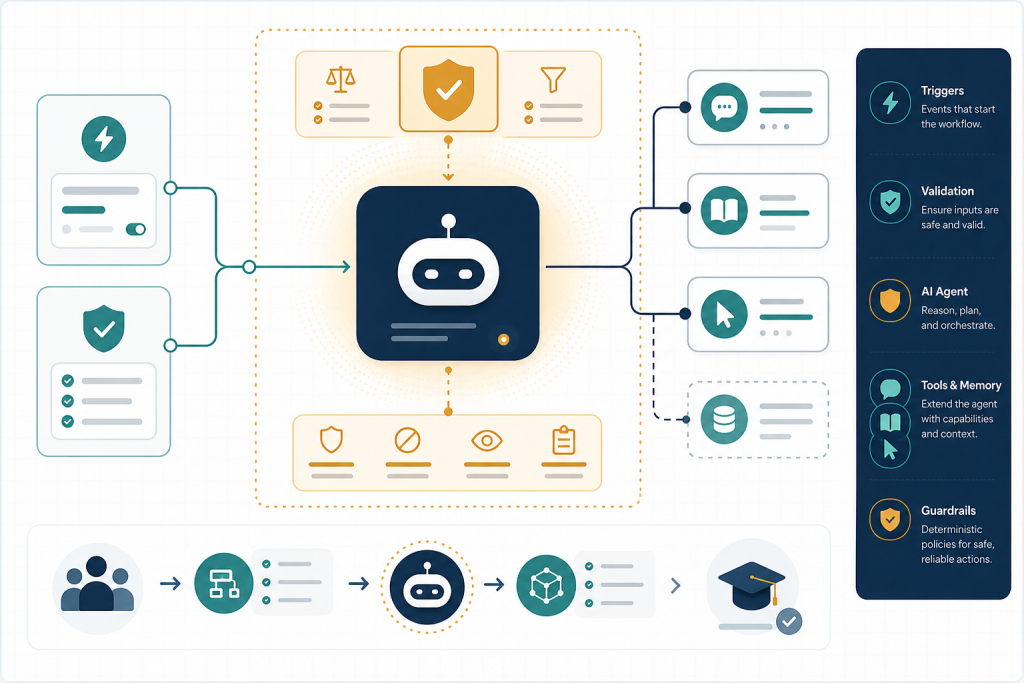
Why this matters: Build a deliberately small, inspectable AI Agent workflow: Manual Trigger → Edit Fields → AI Agent, with a compatible chat-model sub-node and Calculator tool sub-node. Execute it with synthetic data, inspect each node’s input/output and the tool-call trail, then document whether the agent used the tool appropriately. This is a foundation artifact, not a production assistant.
What you will be able to do
- Verify whether the learner’s installed AI Agent UI matches current Tools Agent documentation and identify version-sensitive labels.
- Build a minimal n8n agent cluster with a deterministic input-normalization step, a chat model, and a harmless tool.
- Map a field into the agent with an n8n expression and inspect the first execution as evidence rather than relying on final text alone.
- Explain how Manual, Chat, Webhook, and Schedule triggers change input, response, session, and exposure responsibilities.
1. Create the smallest safe agent boundary
Build decision: do not begin by giving an agent access to Gmail, a CRM, or an HTTP Request node. Your first workflow must answer a simpler question: Can this installed n8n instance accept a clean input, let the model decide about one harmless tool, execute that tool, and leave an execution record you can explain?
Create a new workflow named M1 – Minimal Tools Agent Skeleton. Use a Manual Trigger for this first build. It makes every run an intentional editor action and avoids early decisions about public endpoints, authentication, chat sessions, response timing, and activation.
The current n8n AI Agent documentation says to connect a chat model plus one or more tools; at least one tool sub-node is required. It also states that, from n8n 1.82.0 onward, agent-type selection was removed and AI Agent nodes operate as a Tools Agent. In your own instance, open the AI Agent configuration and record the exact labels you see. If you see an Agent Type menu, record that as an installed-version difference rather than trying to force this lesson’s UI wording. ([github.com](https://github.com/n8n-io/n8n-docs/blob/main/docs/integrations/builtin/cluster-nodes/root-nodes/n8n-nodes-langchain.agent/README.md?utm_source=openai))
| Node / connection | Role in this exercise | Who decides? |
|---|---|---|
| Manual Trigger | Starts a controlled test execution. | Workflow designer |
| Edit Fields | Creates the narrow, stable input contract. | Deterministic n8n configuration |
| AI Agent | Interprets the request and selects whether to use the Calculator. | Model/agent |
| Chat Model sub-node | Generates the tool-call decision and final language response. | Selected provider model |
| Calculator tool sub-node | Performs arithmetic after the agent requests it. | n8n/tool execution |
2. Normalize and map the request
Add an Edit Fields node after Manual Trigger. Some installations may display a closely related label such as Set/Edit Fields; use the node that lets you explicitly create fields. Configure it to create the following synthetic JSON-shaped data:
| Field | Example value | Purpose |
|---|---|---|
| request_id | demo-001 |
A stable ID for comparing executions. |
| user_question | What is 17 multiplied by 6? Explain briefly. |
The natural-language task. |
| arithmetic_expression | 17 * 6 |
A deterministic, pre-normalized candidate calculation. |
Keep only these fields in the agent input if your Edit Fields configuration offers an option to discard unspecified fields. This is intentional: normalization belongs to the workflow, not the model. In a real intake flow, validation would reject missing IDs, overlong text, unauthorized users, and malformed numeric data before the AI Agent.
Add the AI Agent node and connect Edit Fields to its main input. In the agent prompt/instructions field—verify the current field label in your UI—write:
You are the Workshop Helper. Answer the user question clearly. Use the Calculator tool whenever arithmetic is needed. Treat arithmetic_expression as the authoritative expression. Do not claim you called a tool if you did not. Do not perform external actions.
Map the user’s question into the agent’s input using the expression picker, rather than typing the sample question permanently. A representative expression is {{ $json.user_question }}. Confirm it resolves in the editor’s preview to the synthetic question. Your expression is a deterministic data mapping; the model’s later decision to invoke Calculator is not.
3. Attach model and harmless tool
Connect a compatible Chat Model sub-node to the AI Agent’s model connector. Current n8n Tools Agent documentation lists OpenAI, Groq, Mistral Cloud, Anthropic, and Azure OpenAI Chat Model nodes as supported chat-model options. Select only a provider for which your workshop environment already has an approved credential, and choose a model that the provider documents as supporting tool/function calling. For example, OpenAI’s current model documentation identifies tool use for listed models, but model availability remains account- and provider-specific. ([github.com](https://github.com/n8n-io/n8n-docs/blob/main/docs/integrations/builtin/cluster-nodes/root-nodes/n8n-nodes-langchain.agent/tools-agent.md?utm_source=openai))
Then add the Calculator tool sub-node and attach it to the AI Agent’s tool connector. This is a read-only, harmless first tool: it has no customer-data scope, no credential, no external mutation, and no duplicate-action consequence. Its purpose is not mathematical sophistication; it is to make the agent’s tool-selection behavior visible.
Before executing, state the contract aloud or in your build notes:
- Inputs: request_id, user_question, arithmetic_expression.
- Agent authority: choose whether Calculator is relevant; compose a final response.
- Workflow authority: start the run, shape the input, execute the selected tool, record execution data.
- Forbidden authority: sending messages, writing records, spending money, or using private data.
Do not connect memory in this exercise. A Manual Trigger run has no continuing user session to recall. Memory would add state without solving a demonstrated need and could accidentally retain learner prompts or identifiers. When you later build chat continuity, retain only the minimum permitted conversational context and establish a session identifier and retention policy first.
4. Execute, inspect, and debug the evidence
Click Execute workflow. Inspect the execution node by node rather than judging success only from the final prose.
- Open Edit Fields. Verify precisely three expected fields and the exact expression
17 * 6. - Open AI Agent. Verify that it received the normalized question—not an empty field or the whole unreviewed trigger payload.
- Inspect the available execution details/intermediate steps in your installed version. Look for evidence that the agent selected Calculator, the expression supplied, the returned result, and the final response.
- Confirm the final answer includes 102 and a brief explanation.
Run a second synthetic request: What is the workshop name?, with arithmetic_expression set to an empty string. The correct behavior is normally a direct answer or a request for missing context; unnecessary Calculator use is a test finding. Do not silently “fix” unexpected behavior. Capture the request, output, whether a tool was called, and your judgment in a small test table.
| Test ID | Expected tool behavior | Observed behavior | Pass / revise |
|---|---|---|---|
| demo-001 | Calculator used for 17 * 6 | Complete after run | Complete after run |
| demo-002 | No calculator required | Complete after run | Complete after run |
If the agent fails before running, check the model connector and credential first. If it says no tools are available, check that Calculator is attached through the AI tool connector rather than the normal workflow line. If it calculates but the final answer is wrong, preserve the execution ID and revise the instruction or input contract—do not add a second powerful tool as a workaround.
5. Compare trigger contracts and add portfolio evidence
Now document how the same agent skeleton changes by trigger. The agent/model/tool cluster can remain logically the same; the input and response contract changes.
| Trigger | Use it when | Implementation consequence |
|---|---|---|
| Manual Trigger | Developing and repeatably testing. | You supply synthetic fields inside the workflow; no public exposure. |
| Chat Trigger | A person needs a conversational interface. | Each incoming message executes the workflow. If prior-session loading is enabled, n8n requires a memory connection and recommends connecting the Chat Trigger and Agent to the same memory node for a single source of truth. Keep public availability off while building. ([n8ndocs.sitemirror.store](https://n8ndocs.sitemirror.store/integrations/builtin/core-nodes/n8n-nodes-langchain.chattrigger/?utm_source=openai)) |
| Webhook | Another system sends an HTTP request. | Normalize body/query/header fields explicitly; choose whether to respond immediately, after the final node, or with a Respond to Webhook pattern according to the caller’s timeout and response contract. ([github.com](https://github.com/n8n-io/n8n-docs/blob/main/docs/integrations/builtin/core-nodes/n8n-nodes-base.webhook/README.md?utm_source=openai)) |
| Schedule Trigger | A time-based job launches the workflow. | There may be no human question; create a deterministic job payload and make output delivery explicit. Do not pretend the agent has a user session. |
For this module, keep Manual Trigger as the portfolio baseline. Save the workflow and add a build note containing: n8n version, trigger type, model-provider node and model identifier, tool name, credential scope, the two test results, and one known limitation. This note is your first n8n AI Agent Build Portfolio evidence: a reproducible skeleton with a documented control boundary.
Deliverables: (1) saved workflow, (2) screenshot or exported execution evidence for demo-001, (3) two-row test table, and (4) one-page node-role map identifying deterministic versus agent-driven decisions.
Build and Inspect a Minimal Tools Agent Skeleton
Scenario: Applied practice scenario — Fictional internal “Workshop Helper”: Build and test a minimal agent that receives a synthetic learner question plus two integers, decides whether arithmetic is needed, and can use only a harmless Calculator tool. It must not access real customer data, credentials, email, calendars, or external APIs.
Work in a development workflow only. Use the fictional synthetic values provided, do not attach real business tools, and complete both test cases before changing the trigger. If your instance differs from the labels described, capture the difference in your portfolio note and verify against the current official node documentation.
Self-review checklist
- I created the three main-path nodes: Manual Trigger, Edit Fields, and AI Agent.
- I connected a chat-model sub-node and Calculator tool sub-node to the AI Agent using the appropriate AI connectors.
- I recorded my installed n8n version and noted whether my AI Agent UI has an Agent Type selector.
- My Edit Fields output contains only request_id, user_question, and arithmetic_expression for the synthetic test.
- I ran one arithmetic request and verified the Calculator tool call in execution data or the agent’s intermediate trace where available in my version/configuration.
Key takeaways
- The current AI Agent node requires a connected chat model and at least one tool sub-node; it decides whether and how to call the tool, while n8n executes the resulting workflow steps.
- Since n8n version 1.82.0, the selectable agent-type setting was removed: current AI Agent nodes operate as a Tools Agent. Treat older tutorials showing Conversational, ReAct, or Plan-and-Execute agent-type menus as version-specific legacy material.
- A Manual Trigger is safest for first execution. Chat and webhook triggers introduce response, authentication, session, and public-exposure decisions that should be added only after the skeleton works.
- Use deterministic nodes such as Edit Fields to establish a narrow input contract before the model sees data; do not delegate input normalization, authorization, or side-effect protection to the model.
Useful terms
- AI Agent node
- The n8n root node that receives task input, uses a connected chat model, and can choose among connected tools.
- Tools Agent
- The current AI Agent behavior in n8n: the model receives tool descriptions/schemas and selects tools as needed.
- Tool sub-node
- A node connected to the AI Agent through an AI tool connector, exposing a bounded capability the agent may request.
- Input contract
- The explicit fields, types, and permitted values passed from deterministic workflow steps into the agent.
Research & review note
This lesson is built from source-traceable research and reviewed before publication. AI Agentic School uses AI as a research and practice tool, not as a substitute for evidence or editorial judgment.
Sources & further reading
- n8n-docs/docs/integrations/builtin/cluster-nodes/root-nodes/n8n-nodes-langchain.agent/README.md at main · n8n-io/n8n-docs · GitHub
- n8n-docs/docs/integrations/builtin/cluster-nodes/root-nodes/n8n-nodes-langchain.agent/tools-agent.md at main · n8n-io/n8n-docs · GitHub
- Chat Trigger node documentation | n8n Docs
- n8n-docs/docs/integrations/builtin/core-nodes/n8n-nodes-base.webhook/README.md at main · n8n-io/n8n-docs · GitHub